
01
Photograph the room.
Show the floor, the walls and the main furniture. A photo of the whole room gives a new layout more to work with.
Try a different furniture arrangement in a photo of your own room, then compare it with how the room is today.
Free to download. Your first 2 makeovers are free. Illustrative AI designs, not construction plans.
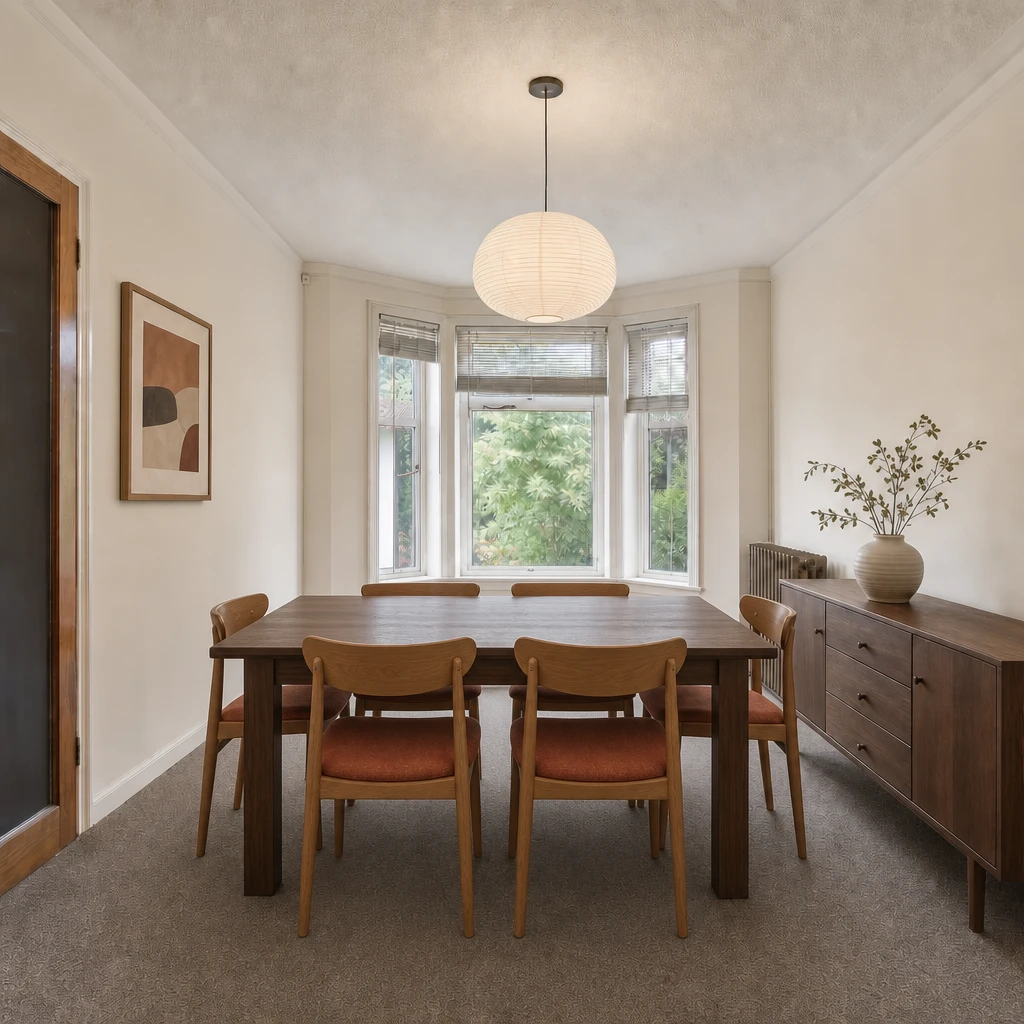 BeforeAfter
Show the floor, the walls and the main furniture. A photo of the whole room gives a new layout more to work with.
Pick one of the ready-made arrangements, or let Omriss decide what suits the room’s shape, light, doors and walkways.
Slide between your original photo and the new arrangement. Keep what works, then try another layout.
Most rooms that feel wrong have a layout problem rather than a decorating problem. The sofa faces a blank wall, the desk gets no daylight, the walkway cuts straight through the seating. A new rug will not fix that, but moving three pieces of furniture might.
An AI room planner lets you test that move before you lift anything. It works from a photo, so it is not a measured floor plan, but it is a fast way to see whether an idea is worth the effort.
In a living room, Omriss offers a set of arrangements, each described by what it does to the space. If you are unsure, “AI decides” picks the layout that best suits the room’s shape, light, doors and walkways.
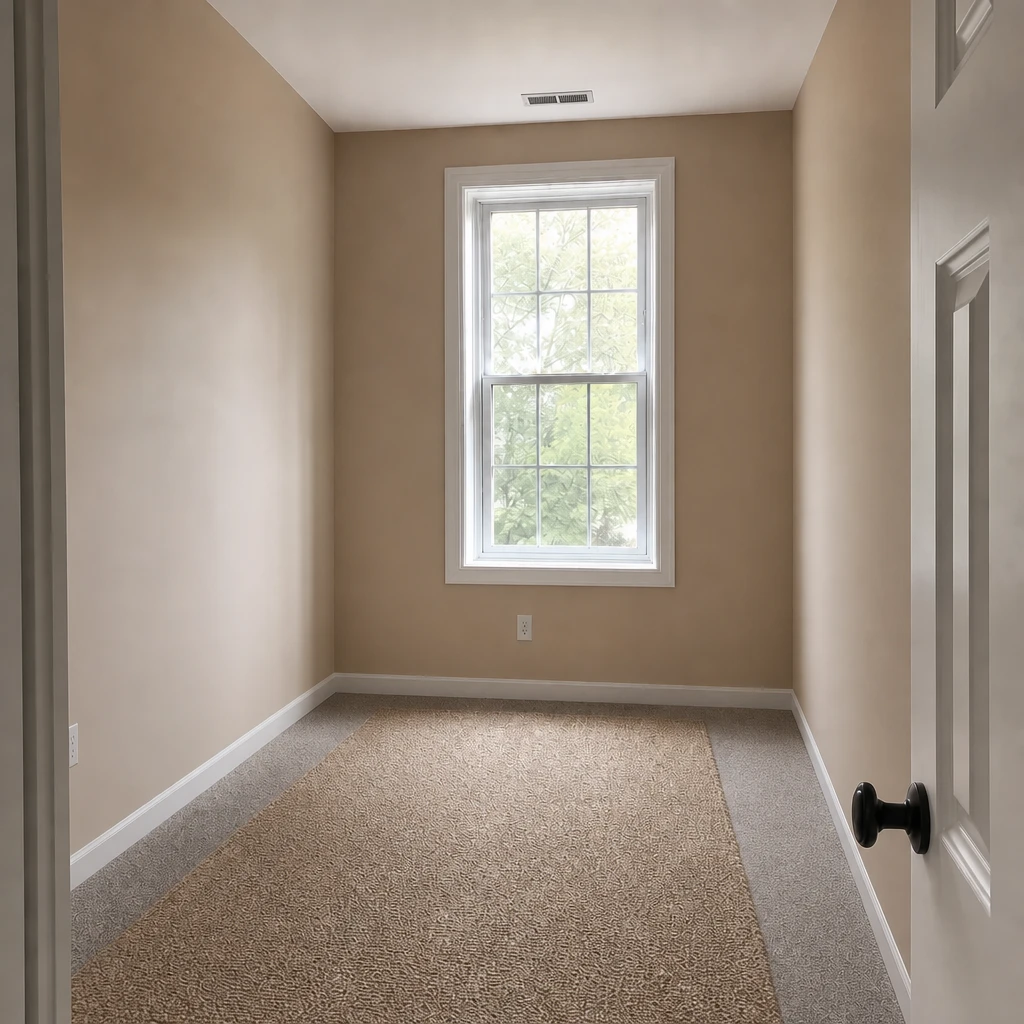
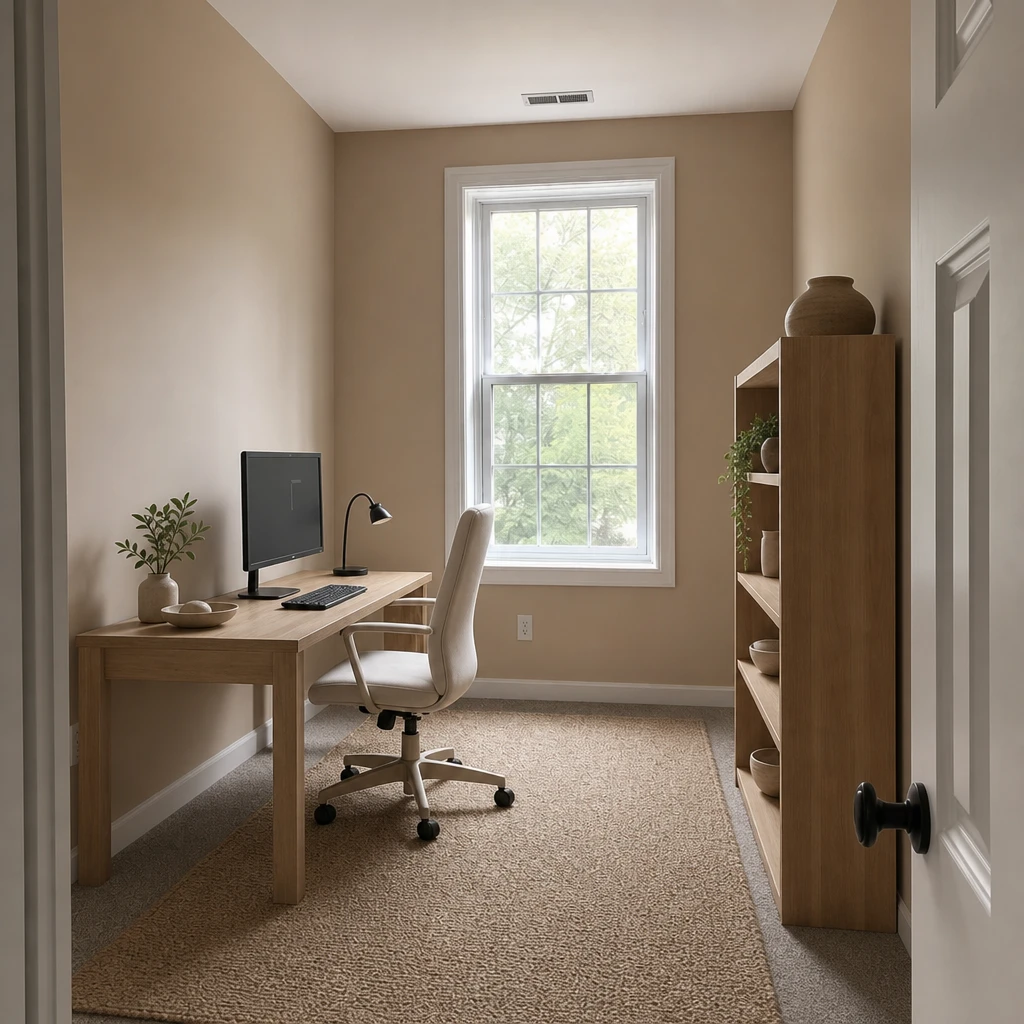
If the current furniture is in the way of your imagination, clear it first. The Empty room tool removes furniture from a photo, and lets you choose to keep fixed things such as built-ins, curtains, light fixtures and rugs, so you are planning from the bare room.
From there you can try a layout, or restyle the room and see where the furniture could go.
It does not know your measurements. Doorways, radiators and the clearance around a sofa are things a tape measure should check before you buy or move anything. Treat the picture as an idea of where things could go, and measure before you commit.
If you need a drawing to scale, a dedicated floor-plan tool or a professional is the right choice. Omriss is for the moment before that, when you are still deciding what you would like.
A different tool for the same job: clear the furniture, then plan from the bare room. The hero above shows a layout change; this shows what the Empty room tool does.
Try a layout on your own room photo. Free to download. Your first 2 makeovers are free.
A tool that uses AI to show how a room could be arranged differently. In Omriss you start with a photo of your room and pick a layout, and the app creates an illustrative image of the new arrangement. It is not a measured floor plan.
No. The image is generated from a photo, so distances and proportions can drift. Measure the room and the furniture before you buy or move anything.
Start with a photo of the room you want to rethink. Omriss suggests arrangements and lets you reposition furniture, then you can compare the result with your original photo.
Yes. Remove & Replace takes out an item you tap or brush over, and Empty room clears the furniture from a photo.
Free to download. Your first 2 makeovers are free. After that, you can keep going for free by watching ads.
Open Omriss, photograph the room that never quite worked, and try an arrangement.
The photos you choose are sent securely for AI processing to create each design. See the privacy policy for details.